
Your customer places an order. You pack it, hand it to the courier, and receive a string of numbers and letters – 1234567890123 or Z98765432 or EE123456789IN. That string is the AWB number – and it is the single most important piece of information in the post-purchase journey for both you and your buyer. In Indian eCommerce, ‘AWB number’, ‘tracking number’, ‘consignment number’, and ‘tracking ID’ are all used interchangeably – they refer to the same thing. Yet sellers and buyers search for these terms millions of times a month, because the format differs by courier, the meaning is not always obvious, and what to do when an AWB is not updating is genuinely confusing. This guide covers everything: AWB full form and meaning, formats by courier, how to find your AWB number, how to track it, what common AWB statuses mean, and how to manage AWBs across multiple couriers from one dashboard.
AWB (Air Waybill) number = the unique tracking identifier assigned to every shipment by the courier. It is your shipment’s digital identity – every scan, every status update, and every delivery confirmation is linked to this number.
- AWB Full Form – What Does AWB Stand For?
- What Is an AWB Number? (Complete Explanation)
- AWB Number Formats by Courier – India’s Complete Reference
- AWB Number vs Tracking Number vs Consignment Number – Any Difference?
- How to Find Your AWB Number
- How AWB Tracking Works – Step by Step
- AWB Tracking Statuses Explained
- Common AWB Tracking Problems – and How to Fix Them
- How to Track Multiple AWB Numbers at Once
- Frequently Asked Questions
AWB Full Form – What Does AWB Stand For?
AWB stands for Air Waybill – a transport document originally created for air cargo shipments. The term comes from the international air freight industry, where every parcel or cargo consignment moving by air requires a waybill document that serves as:
- A contract between the shipper and the carrier
- A receipt confirming the carrier has accepted the shipment
- A customs declaration document for international shipments
- A tracking identifier for the entire shipping journey
In Indian eCommerce today, the term AWB has expanded far beyond air cargo. Most Indian courier companies – Delhivery, Blue Dart, DTDC, XpressBees – use ‘AWB number’ for all shipments, including those transported by road and rail. The document itself has become electronic (e-AWB), but the number remains the core tracking identifier for every shipment in the Indian logistics ecosystem.
| Why ‘Air Waybill’ for Road Shipments? The term stuck. When air freight digitization brought AWB numbers into mainstream logistics in the 1990s, Indian courier companies adopted the same terminology for their ground and road shipments. Today, a Delhivery AWB for a Chennai-to-Mumbai road shipment is still called an AWB – even though it never goes near an aircraft. |
What Is an AWB Number? (Complete Explanation)
An AWB number is a unique alphanumeric code assigned to every shipment by the courier company at the moment of booking. This number is printed as a barcode on the shipping label attached to the parcel – and every scan at every courier hub, every delivery attempt, and every exception is recorded against this number. Think of the AWB number as your shipment’s Aadhaar card: just as an Aadhaar links a person to all government records, the AWB number links a parcel to every piece of information about its journey – from pickup to delivery.
What Information Is Linked to an AWB Number?
When a courier generates an AWB number for a shipment, the following information is attached to it in their system:
- Sender details: Name, address, contact number, pincode
- Receiver details: Name, delivery address, contact number, pincode
- Shipment details: Weight, dimensions, declared value, number of pieces
- Service type: Express, surface, COD, prepaid
- Payment type: COD amount (if applicable) or prepaid confirmation
- Tracking history: Every scan, hub movement, delivery attempt, and exception
- Proof of delivery: Delivery timestamp, recipient confirmation, photo POD
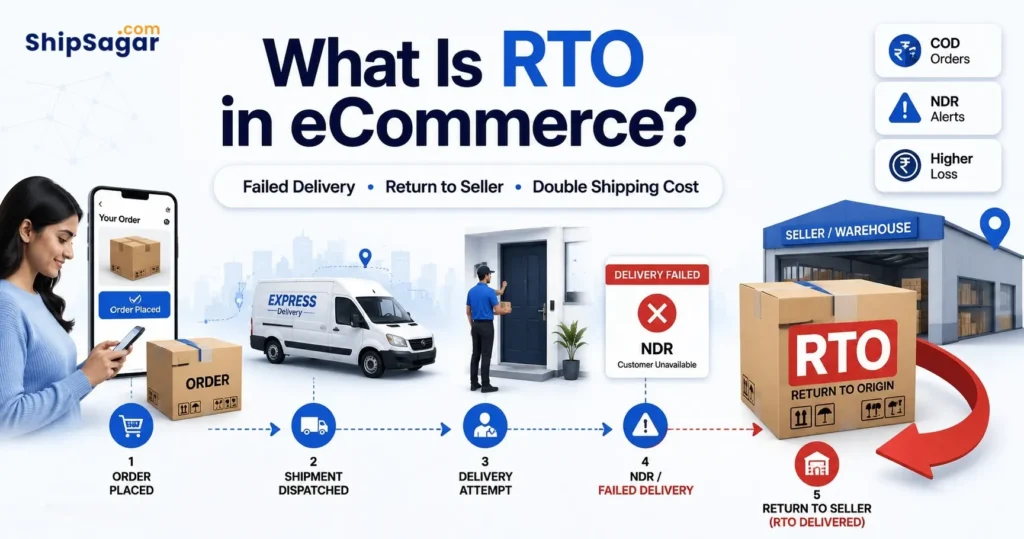
For Indian eCommerce sellers specifically, the AWB number is the only proof that a shipment was actually dispatched. Every COD collection, every NDR (Non-Delivery Report), every RTO (Return to Origin), and every marketplace dispute resolution is linked to this number. Without it, you cannot track, claim, or dispute any shipment outcome.
How Is an AWB Number Generated?
The AWB number is automatically generated when you book a shipment – the process differs slightly by method:
- Direct courier portal: Log into Delhivery, Blue Dart, or DTDC portal → Create shipment → AWB is instantly generated and displayed
- Shipping aggregator (Shiprocket, NimbusPost): Place order in aggregator dashboard → Aggregator books with selected courier → AWB auto-generated and sent to you and customer
- API integration: Your OMS/ERP pushes order to courier API → AWB returned in API response → Auto-synced to your system
- Marketplace orders: Amazon, Flipkart, Meesho – their logistics partner (Ekart, Amazon Logistics) generates the AWB automatically when the order is accepted
AWB Number Formats by Courier – India’s Complete Reference
This is one of the most practical things to know about AWB numbers in India: every major courier uses a different format. Knowing the format helps you identify which courier is carrying a shipment just from the tracking number – without needing additional context.
| Courier | AWB Format | Example | How to Identify |
| Delhivery | 10–18 digit numeric | 1234567890123 | Long all-numeric string. Most common format in Indian D2C. |
| Blue Dart | Exactly 10-digit numeric | 1234567890 | Exactly 10 digits – no letters. Easy to distinguish. |
| DTDC | Alphanumeric with letter prefix | Z98765432 / M12345678 | Starts with a capital letter: Z, M, V, H, D. Letter indicates service type. |
| India Post (Speed Post) | 13-char: 2 letters + 9 digits + 2 letters | EE123456789IN | Always ends in ‘IN’. Starts with 2 capital letters. Unique and unmistakable. |
| XpressBees | 12–15 digit numeric | 123456789012 | Long numeric. Often starts with 1. Similar length to Delhivery. |
| Ecom Express | 10–14 digit numeric | 1234567890 | Numeric only. Now part of Delhivery post-2025 acquisition. |
| Shadowfax | Alphanumeric with SFX prefix | SFXIN1234567 | Usually starts with SFX or similar identifier. |
| FedEx India | 12-digit numeric | 123456789012 | Exactly 12 digits. Global FedEx format. Track at fedex.com/in. |
| DHL India | 10-digit numeric | 1234567890 | Similar length to Blue Dart. Use context (shipping invoice) to distinguish. |
| Trackon | Alphanumeric (T prefix common) | T123456789 | Often starts with T. Regional courier widely used in North India. |
| Aramex India | Numeric (10–14 digits) | 1234567890 | International courier. Used for cross-border India shipments. |
| Pro Tip – Identify Any AWB Without Context: If you receive an AWB number without knowing the courier: • Ends in ‘IN’ → India Post (Speed Post) • Starts with letter (Z/M/V/H) → DTDC • Starts with ‘SFX’ → Shadowfax • Exactly 10 digits → Blue Dart or DHL (check invoice) • 13+ digits, all numeric → Delhivery or XpressBees • ShipSagar auto-detects the courier from any AWB format – no manual identification needed. |
AWB Number vs Tracking Number vs Consignment Number – Any Difference?
This causes enormous confusion in Indian eCommerce – and the answer is simple: in practice, these three terms refer to the exact same thing.
| Term | Who Uses It | Meaning |
| AWB Number | Delhivery, Blue Dart, FedEx, DHL, industry standard | Air Waybill Number – unique shipment identifier |
| Tracking Number | FedEx, DHL, global platforms, most eCommerce stores | Same as AWB number – the number you enter to track |
| Consignment Number | India Post, DTDC, older Indian courier terminology | Same as AWB number – used interchangeably in India |
| Tracking ID | Amazon, Flipkart, Meesho, eCommerce platforms | Same as AWB number – platform-friendly terminology |
| Waybill Number | Blue Dart specifically, air freight context | Same as AWB number – Blue Dart’s preferred terminology |
| Docket Number | Older courier industry usage, some regional couriers | Same as AWB number – legacy term, rarely used now |
| The Simple Rule: If a seller, courier, marketplace, or platform gives you a number and says ‘use this to track your shipment’ – that is the AWB number, regardless of what they call it. The function is identical across all terminologies. |
How to Find Your AWB Number
For Buyers – Where to Find the AWB Number for Your Order
- Dispatch notification email or SMS: The seller typically sends a ‘Your order has been dispatched’ email or SMS with the AWB number and a tracking link. This is the most common and reliable source.
- Order tracking page on the seller’s website: If the seller has a branded tracking page (like those powered by ShipSagar), log in to your account and check order status – the AWB number is displayed there.
- Marketplace order history: Amazon: My Orders → Track Package. Flipkart: My Orders → Track. Meesho: My Orders → Track Order. The AWB or tracking number is shown in the tracking section.
- WhatsApp notification: Many Indian sellers send automated WhatsApp notifications after dispatch – the AWB number is included in the message.
- Contact the seller: If you did not receive a dispatch notification, contact the seller directly – they have the AWB number in their courier dashboard.
For Sellers – Where to Find AWB Numbers for Your Shipments
- Courier portal dashboard: After booking a shipment on Delhivery, Blue Dart, DTDC, or any courier portal, the AWB is displayed on the confirmation screen and in the manifest/dispatch report.
- Shipping label: The AWB number is printed as a barcode on the shipping label attached to the parcel – both in numeric and barcode form.
- Aggregator platform dashboard: If you book through Shiprocket, NimbusPost, or another aggregator, AWB numbers appear in your order list after label generation.
- Your OMS or ERP: If you have API integration, AWB numbers are automatically synced to your order management system.
- ShipSagar dashboard: If you use ShipSagar for tracking, all AWB numbers across all courier partners are visible in one unified dashboard – searchable by AWB, order ID, or customer phone number.
How AWB Tracking Works – Step by Step
Understanding how an AWB number tracks a shipment helps sellers set accurate customer expectations and identify when something is genuinely wrong versus just a normal transit delay.
- AWB generated at booking: The moment you book a shipment, the courier system creates the AWB number and links all shipment details to it. Status: ‘AWB Generated / Pickup Pending’
- First scan at pickup: When the courier executive collects the parcel and scans its barcode at your location or a courier collection point, the first tracking update fires. Status: ‘Shipment Picked Up’. This is when tracking becomes live.
- Origin hub scan: The parcel arrives at the courier’s origin sorting hub (e.g., Delhivery’s Delhi hub). Scanned in, sorted by destination zone. Status: ‘In Transit’ or ‘Reached Origin Hub’
- Intermediate hub scans: For long-distance shipments, the parcel passes through multiple intermediate hubs. Each scan updates the tracking. Status: ‘In Transit’ with location updates
- Destination hub scan: The parcel arrives at the courier hub closest to the delivery address. Status: ‘Arrived at Destination Hub’ or ‘Reached Delivery Hub’
- Out for Delivery scan: The courier executive loads the parcel for delivery. Status: ‘Out for Delivery (OFD)’ – this fires between 7am and 10am on the delivery day
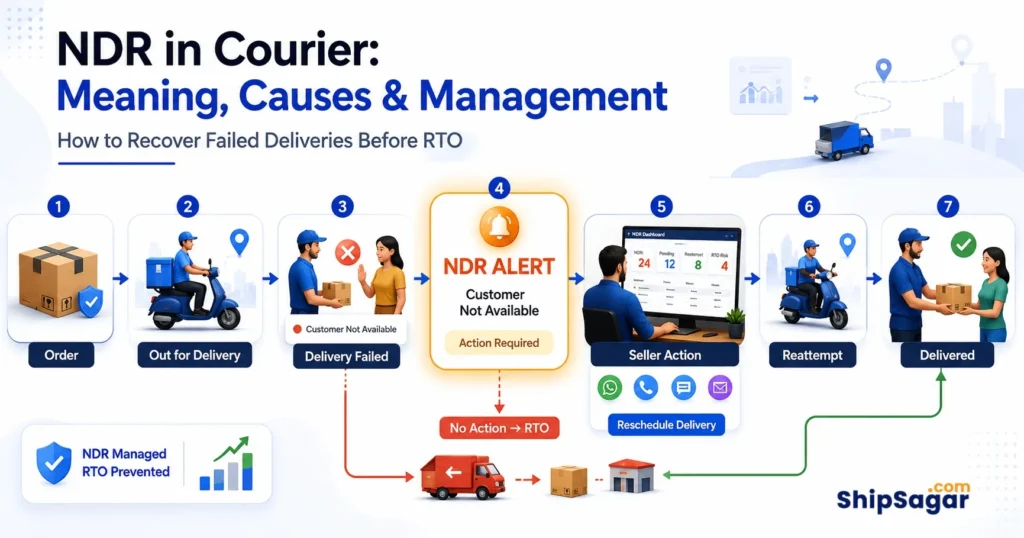
- Delivery or NDR: Successful delivery → ‘Delivered’ with timestamp and POD. Failed attempt → NDR generated with reason code. Multiple failures → ‘RTO Initiated’
| ⏰ Why Tracking Sometimes Does Not Update for 24–48 Hours: When a parcel is in a vehicle moving between two hubs, there are no scans happening – tracking only updates at hub checkpoints. A 24–48 hour gap in ‘In Transit’ status is completely normal for surface shipments covering long distances (e.g., Delhi to Chennai). India Post can have 48–72 hour gaps in rural areas. If there is no update for more than 72 hours, contact the courier helpline with the AWB number. |
AWB Tracking Statuses Explained – Complete Reference
Every AWB tracking status has a specific meaning. Here is a complete plain-language guide to every status you will see on Indian courier platforms:
| Status | What It Means | Action Needed? |
| AWB Generated / Pickup Pending | Shipment booked. AWB created. Courier not yet physically collected the parcel. | No – wait for pickup |
| Shipment Picked Up | Courier executive collected the parcel. First live scan. Tracking now active. | No – in transit now |
| In Transit | Parcel moving between courier hubs toward destination. Normal – may have 24–48hr scan gaps. | No – unless 72+ hrs no update |
| Reached Origin Hub | Parcel arrived at courier’s sorting facility in origin city. Being sorted by destination. | No |
| Arrived at Destination Hub | Parcel reached courier hub in delivery city. Delivery expected next 1–2 days. | No – delivery imminent |
| Out for Delivery (OFD) | Courier executive has parcel and is en route to delivery address. Expect delivery today. | Ensure buyer is available |
| Delivered | Parcel successfully handed to recipient. Timestamp + POD captured. | Close the order |
| Delivery Attempted / Failed | Delivery tried but unsuccessful. NDR generated with reason code. | Contact buyer immediately |
| NDR (Non-Delivery Report) | Multiple failed attempts. Courier awaiting seller/buyer resolution. | Act within 24–48 hours |
| RTO Initiated | Parcel returning to seller after unresolved NDRs. | Prepare for return |
| RTO Delivered | Parcel back at seller warehouse. Reverse shipping complete. | Issue refund or reship |
| Exception / Stuck | Anomaly – customs hold, weather delay, hub issue, wrong scan. | Contact courier with AWB |
→ For a detailed explanation of NDR statuses and how to manage them: What Is NDR in Courier? → For RTO meaning and prevention strategies: What Is RTO in eCommerce?
Common AWB Tracking Problems – and How to Fix Them
Problem 1 – AWB Generated But Tracking Not Showing
What happened: AWB is generated but the courier has not physically picked up the parcel yet. This is the most common ‘tracking not working’ situation. Status shows ‘Pickup Pending’ or nothing at all. Fix: Wait 24 hours after AWB generation. If the courier still has not picked up, contact the seller or the courier directly with the AWB number to raise a pickup complaint.
Problem 2 – Tracking Shows ‘In Transit’ for 3+ Days
What happened: For surface shipments covering long distances (Srinagar to Chennai, Ahmedabad to Kolkata), 3–4 days of ‘In Transit’ is completely normal – the parcel is in a vehicle between hubs with no scan. India Post can show ‘In Transit’ for 4–5 days for rural deliveries. Fix: Wait up to 72 hours from the last ‘In Transit’ scan before taking action. If more than 72 hours with no update, call the courier’s customer care with the AWB number and origin-destination details.
Problem 3 – AWB Number Says ‘Invalid’ or ‘Not Found’
What happened: Either the AWB was entered on the wrong courier’s website, there is a typo in the AWB number, or the shipment has not been manifested yet (AWB generated but not synced to courier’s tracking system). Fix:
- Check which courier is carrying the shipment – refer to the format guide in Section 3
- Enter the AWB on the correct courier’s tracking page
- If AWB was just generated, wait 2–4 hours for it to appear in the courier’s tracking system
- If still not found after 24 hours, contact the courier with the AWB and booking reference
Problem 4 – Tracking Shows ‘Delivered’ But Buyer Did Not Receive
What happened: This can occur due to: delivery to wrong address, delivery to a neighbour/security without informing buyer, incorrect delivery location GPS, or in rare cases, a fraudulent delivery scan. Fix: Request a Proof of Delivery (POD) from the courier immediately – POD includes the delivery photo and recipient signature/OTP. File a dispute with the courier within 24–48 hours of the false delivery scan. Maintain your own packing video as evidence.
Problem 5 – Multiple AWBs, Multiple Courier Portals
What happened: You ship with 3–5 different couriers. Each has a different tracking portal, different login, different AWB format. Checking status for 200 shipments across 5 portals daily is unsustainable. Fix: Use a multi-courier tracking platform like ShipSagar – all AWBs from all courier partners visible in one dashboard. Enter any AWB number, ShipSagar auto-identifies the courier and shows live status.
How to Track Multiple AWB Numbers at Once – For eCommerce Sellers
This is where individual AWB tracking breaks down for growing eCommerce businesses. If you ship 500 orders per day across Delhivery, Blue Dart, DTDC, and India Post – you have 500 AWB numbers to track across 4 different portals. Manually checking each is impossible at scale.
Option 1 – Courier Portal Bulk Tracking
Most courier portals allow you to enter 5–10 AWB numbers at once for bulk tracking. Better than one-by-one, but still limited to one courier at a time and requires manual work.
Option 2 – CSV/Excel Upload on Tracking Platforms
Some platforms allow bulk AWB upload via CSV – you upload all AWBs in one file and get statuses back. Still requires manual export/import cycles.
Option 3 – Multi-Courier Tracking Dashboard (Recommended)
A multi-courier tracking platform like ShipSagar connects directly to the APIs of 500+ courier partners and automatically pulls live tracking data for all your AWBs into one unified dashboard:
- Auto carrier detection: Add any AWB number – ShipSagar identifies the courier automatically from the format. No manual tagging.
- Bulk upload: Upload thousands of AWB numbers at once via CSV/Excel. All start tracking automatically.
- API sync: Connect ShipSagar’s REST API to your OMS/ERP for fully automated AWB sync – zero manual work.
- Real-time updates: ShipSagar fetches live status from courier APIs – no manual refresh, no portal switching.
- NDR alerts: When any AWB fails delivery, ShipSagar sends a real-time NDR alert – you act before it becomes an RTO.
| Real Example – Sky Express: Sky Express manages 10,000+ shipments monthly across FedEx, DTDC, Trackon, and DHL – four separate courier portals with four different AWB formats. Before ShipSagar, their team manually checked four portals daily. After switching to ShipSagar: all 10,000+ AWBs tracked in one dashboard, auto carrier detection working across all four couriers, and NDR alerts catching failed deliveries within hours of the event. |
→ Track all your AWBs across 500+ couriers from one dashboard: Multi-Courier Tracking → For courier-specific AWB tracking guide: Courier Tracking India: Complete Guide → How parcel tracking works end to end: Parcel Delivery Tracking: Complete Guide
Related Guides on ShipSagar
eCommerce Logistics Guides:
- What Is NDR in Courier? Meaning, Causes & How to Manage
- What Is RTO in eCommerce? Complete Guide for Indian Sellers
- What Is WISMO? How to Reduce ‘Where Is My Order’ Queries